Setting up a dedicated charging station for your devices is an easy way to keep your home organized and your gadgets powered up. Whether you have smartphones, tablets, wireless headphones, or other rechargeable equipment, a central charging spot helps reduce clutter and saves time when you need to find your devices.
In this guide, we’ll walk you through everything you need to create an efficient charging station at home — from choosing the right location to organizing cables and selecting the best chargers.
Why Create a Charging Station?
A charging station isn’t just a place to plug in devices; it offers several benefits:
– Reduces clutter: Instead of scattered cords and devices around the house, everything stays neat.
– Saves time: You always know where to find your devices when you need them.
– Protects devices: Keeps electronics off the floor or furniture, reducing the risk of damage.
– Improves safety: Helps avoid tangled cords or overloaded outlets.
Step 1: Choose the Best Location
Consider where you use your devices most often and where charging will be most convenient.
– Near a common area, like the living room or kitchen
– Close to an electrical outlet
– A flat surface like a desk, shelf, or side table
– A spot away from high traffic areas to avoid accidental bumps
Make sure the location has good airflow to avoid overheating your devices when charging.
Step 2: Select the Right Charging Equipment
Depending on how many devices you have, you’ll want to choose chargers and cables suited to your needs.
Chargers
– Multi-port USB chargers: These allow multiple devices to charge at once from a single outlet.
– Wireless charging pads: Great for compatible smartphones and earbuds for easy drop-and-charge.
– Fast chargers: If your devices support quick charging, opt for chargers with higher wattage.
Cables
Use quality USB cables that match your device connectors (Lightning, USB-C, Micro-USB). Having cables of different lengths helps reduce tangling.
Power Strips and Surge Protectors
A surge protector provides extra safety for your devices during electrical spikes. Choose one with enough outlets to handle all your chargers.
Step 3: Organize Your Charging Station
Keeping cables tidy is key to a neat setup.
Cable Management Tools
– Cable clips or organizers: Attach cables neatly along surfaces.
– Cable sleeves or tubes: Bundle multiple cords together.
– Cable boxes: Hide power strips and excess cords inside a container.
– Velcro straps or ties: Keep excess cable length wrapped up.
Device Stands or Holders
Use stands or charging docks to keep devices upright and accessible while charging. This can be especially helpful for smartphones and tablets.
Step 4: Set Up the Charging Station
- Place your power strip or multi-port charger near the outlet.
- Connect your charging cables and route them through your chosen cable management system.
- Arrange your device holders or stands on the surface.
- Label charging spots if necessary, especially in shared spaces.
- Keep extra cables and adapters neatly stored nearby for guests or future devices.
Step 5: Maintain Your Charging Station
– Regularly check cables and chargers for wear or damage.
– Dust and clean the station to prevent buildup.
– Adjust the setup as devices change or additional ones are added.
– Avoid overloading outlets or using incompatible chargers.
Bonus Tips for a Smarter Charging Station
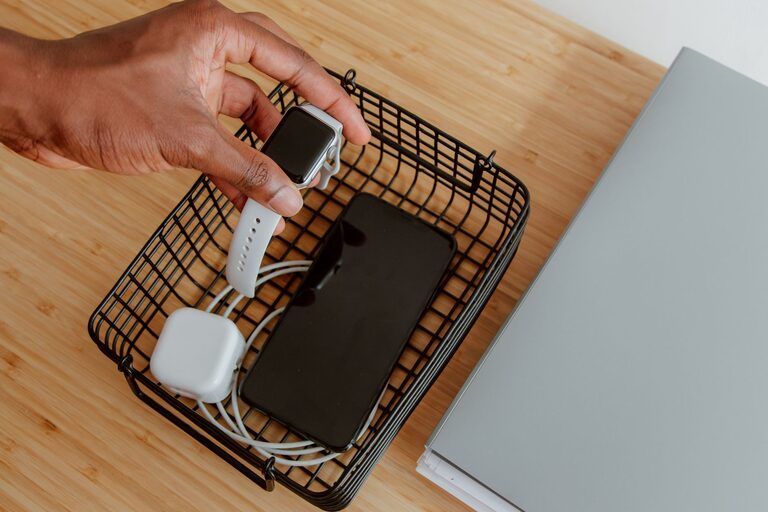
– Consider adding a small basket or drawer for device accessories like earbuds or charging cases.
– Use a charging station with USB-C ports for future-proofing.
– If powering multiple devices overnight, choose chargers with built-in safety features to prevent overheating.
Conclusion
Creating a dedicated charging station is a small investment of time and effort that pays off with a clutter-free home and always-charged devices. By following these steps, you can build an efficient and safe charging area tailored to your needs and lifestyle.
With the right location, equipment, and organization, you’ll enjoy the convenience and peace of mind that comes with an orderly charging station. Start today and keep your gadgets ready to go!
About the Author